Powerful statistical analysis, right inside Excel
From descriptive statistics and ANOVA through to regression, PCA, and multiple comparison procedures — a comprehensive analysis toolkit for researchers and analysts, at a fraction of the cost of Minitab, JMP, or SPSS.
Excel’s built-in Analysis ToolPak handles a handful of basic tests — a t-test, a one-way ANOVA, a simple regression — but produces static output with no diagnostics, no multiple comparisons, and no way to check whether the assumptions hold. Other add-ins and standalone spreadsheet tools fill some of the gaps, but most are a patchwork of disconnected tests and plots bolted together without a coherent workflow — and few have been rigorously validated against published reference datasets.
Analyse-it provides the depth you need to do the job properly. Describe and visualise data, compare groups, fit regression models, reduce dimensionality with PCA, and analyse categorical data — all inside Excel with the iterative workflow that lets you build, examine, and refine until you’re confident in the result. Every calculation is NIST-validated. No data leaves your PC.
It makes my routine stats analyses a breeze. My analyses are available immediately without waiting for other departments. Over the years I have tried several statistics programs, some Excel based, some not. But I always came back to Analyse-It, which is powerful enough for my purposes but the easiest to use.
Klaus T.
Chief R&D Officer
Pharmaceuticals
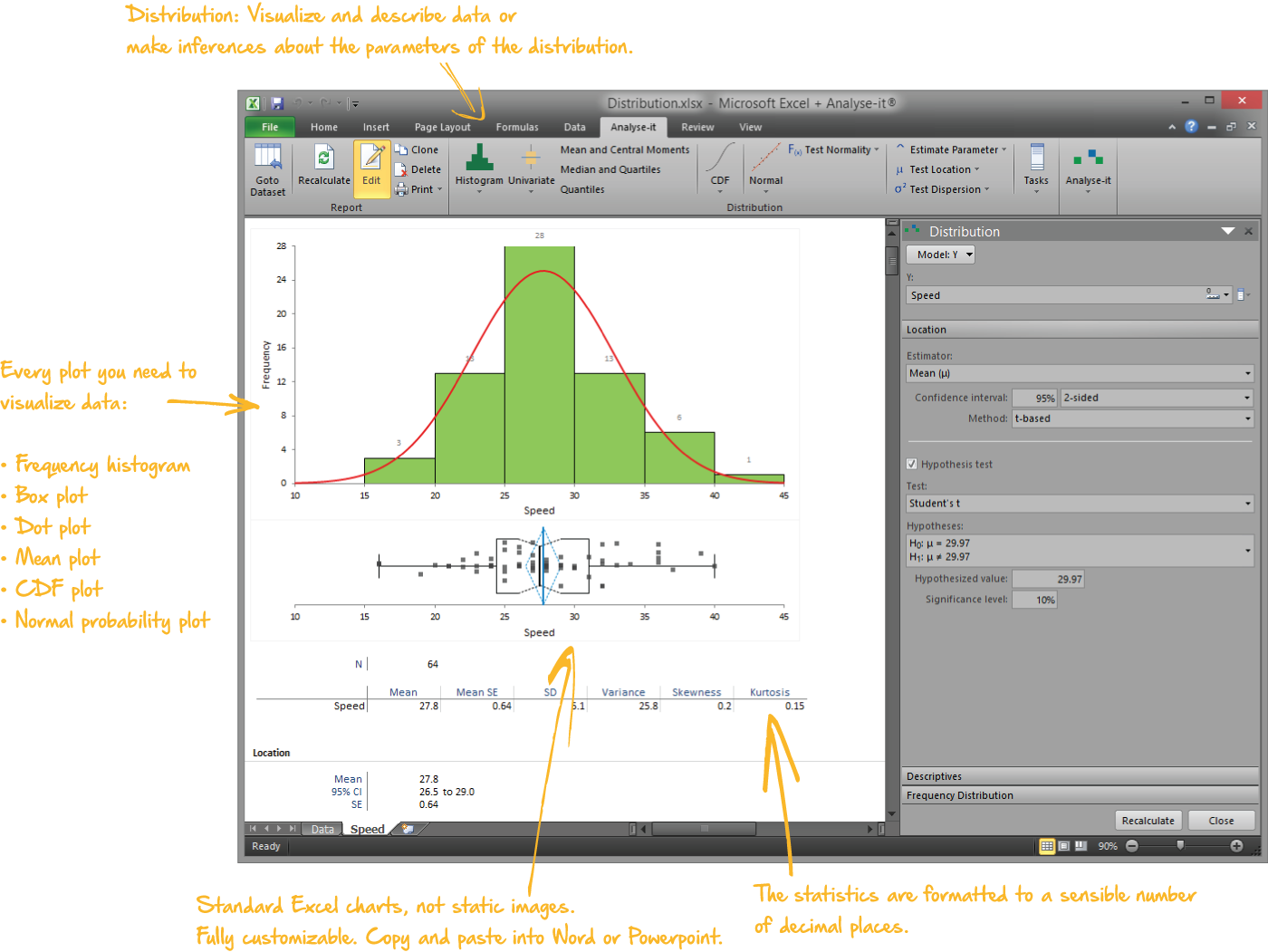
Describe and visualise data
Every analysis starts with understanding the data. What does the distribution look like? Are there outliers? Is it normal?
- Mean, median, SD, CV%, skewness, kurtosis, geometric mean, harmonic mean, quantiles, mode
- Histograms, dot plots, box plots (skeletal, Tukey outlier, quantile), CDF plots, Q-Q plots with Lilliefors bands
- Shapiro-Wilk, Anderson-Darling, and Kolmogorov-Smirnov normality tests
- One-sample t-test, Wilcoxon, Sign test, χ² test for variance, with confidence intervals
- Frequency tables, bar plots, pie charts, binomial and multinomial proportion tests
Descriptive statistics details →
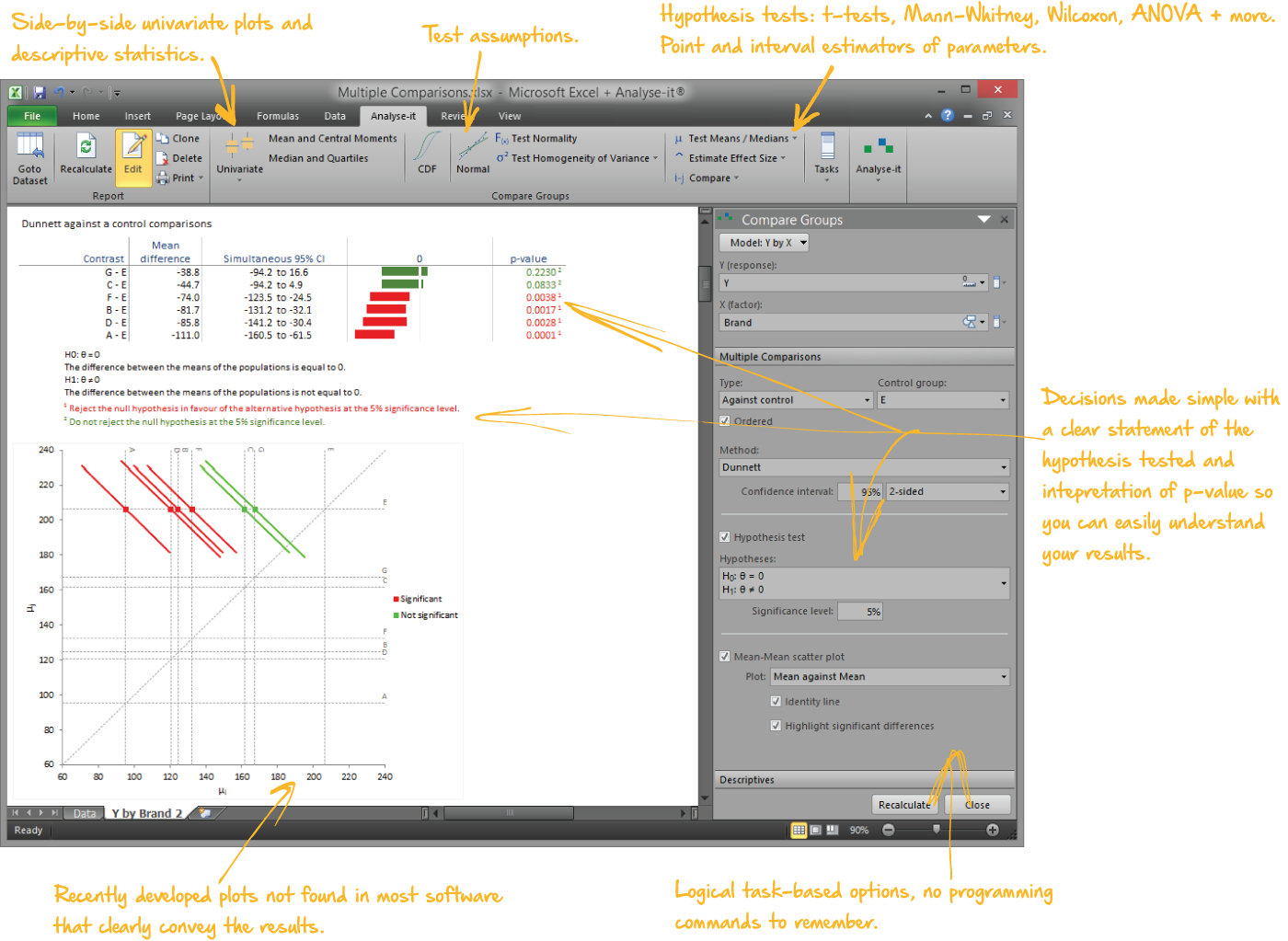
Compare groups and pairs
Independent samples, paired samples, two groups or ten — parametric and non-parametric tests with the assumption checks built into the same workflow:
- Student’s t, Welch’s t, Wilcoxon-Mann-Whitney for two groups; one-way ANOVA, Welch’s ANOVA, Kruskal-Wallis for three or more
- Paired t-test, Wilcoxon signed ranks, Sign test, within-subjects ANOVA, Friedman
- Nine multiple comparison procedures — Tukey-Kramer, Dunnett, Hsu, Scheffé, Steel, Dwass-Steel-Critchlow-Fligner — each controlling the family-wise error rate for its comparison structure
- Cohen’s d and Hedges’ g effect sizes with non-central t confidence intervals
- Mean-Mean scatter plot showing every pairwise difference at a glance
Hypothesis testing details →
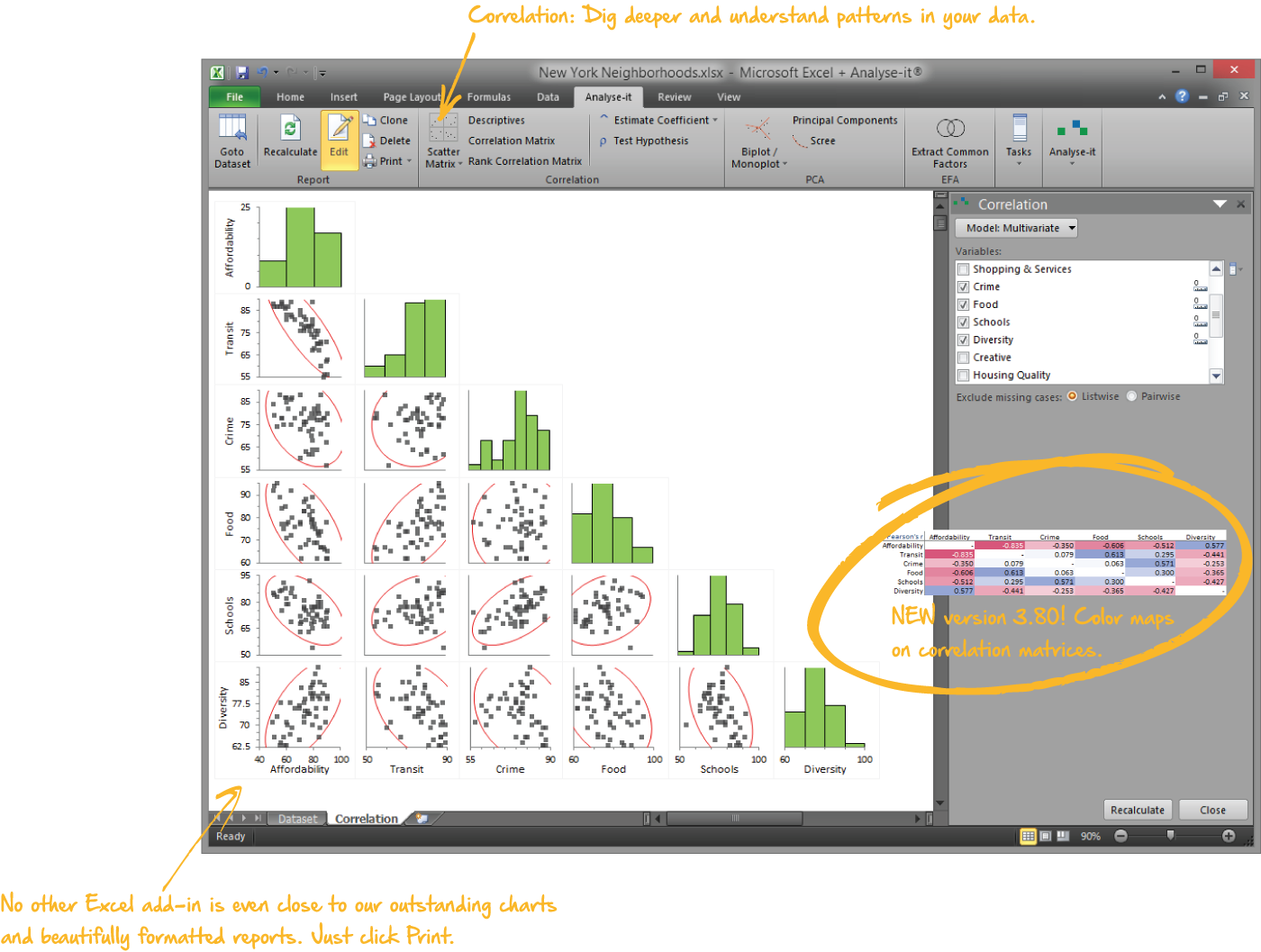
Explore relationships with correlation
The exploratory step between describing variables individually and fitting a regression model:
- Pearson r, Spearman rs, and Kendall τ with proper confidence intervals and significance tests
- Colour-mapped correlation matrices showing every pairwise relationship at a glance
- Scatter plot matrices with optional distribution histograms and density ellipses
- Colour observations by a factor to see group structure
Correlation details →
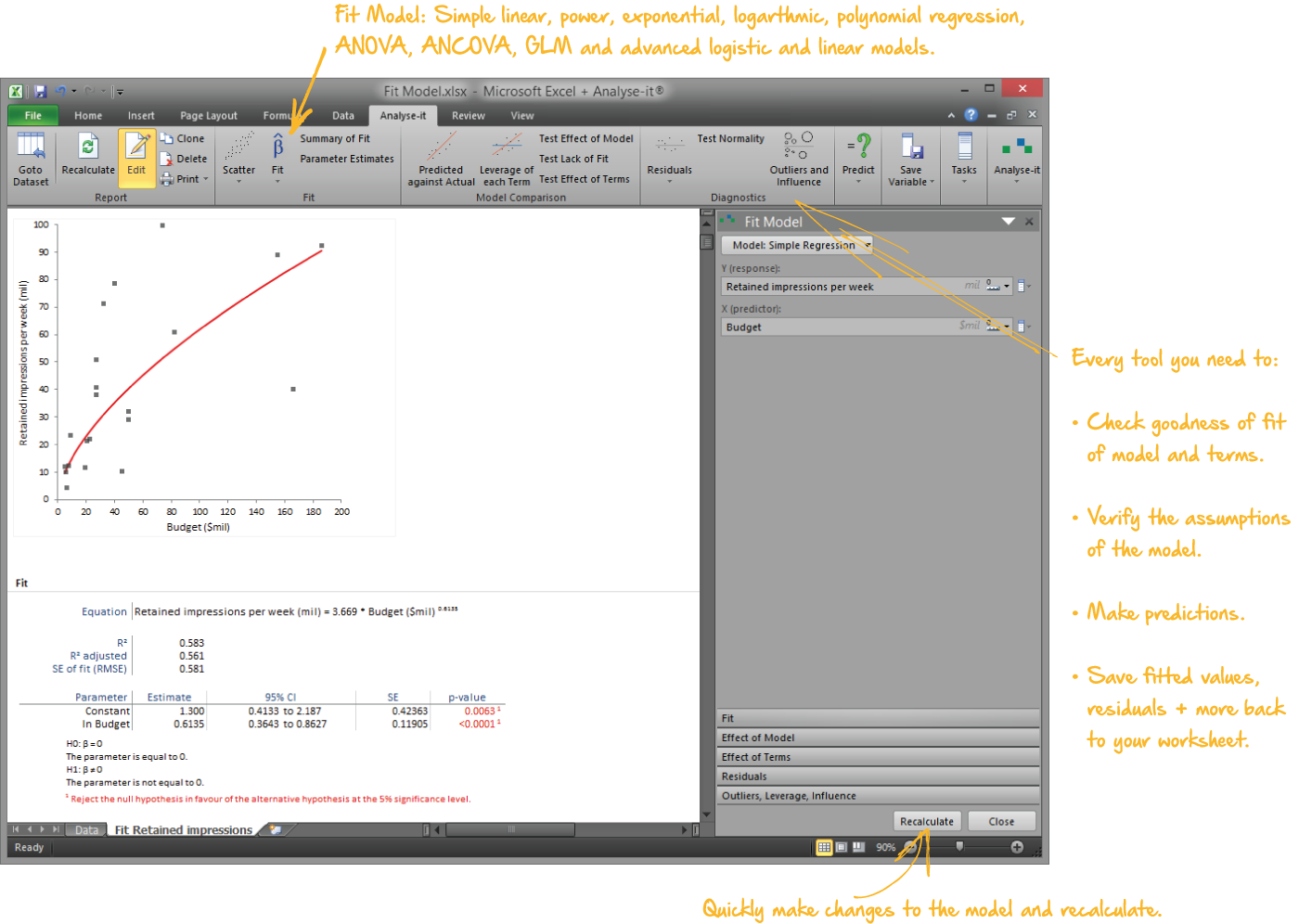
Fit and diagnose regression models
Regression as a process of building, examining, and refining — not a single pass from data to p-value:
- Simple linear, polynomial (2nd–6th), logarithmic, exponential, power, and probit regression
- Multiple regression with continuous and categorical predictors, crossed terms, and interactions
- Parameter estimates with VIF, standardized betas, R², AIC, BIC, Type I and Type III tests
- Outlier and Influence plot with Cook’s D — see immediately whether a handful of observations are driving the result
- Leverage plots isolating each predictor’s contribution after accounting for all others
- Predict new observations and save residuals, leverage, and Cook’s D back to the dataset
Regression details →
Build multi-factor models with ANOVA and ANCOVA
One-way, two-way, and full multi-factor designs with the same diagnostic and comparison tools as regression:
- Crossed factors, polynomial terms, interactions, and continuous covariates
- Effect means with confidence intervals, main effect and interaction plots
- Nine multiple comparison procedures on group means (Compare Groups) and five on effect means (Fit Model)
- Leverage plots, residual diagnostics, and outlier/influence analysis
- Within-subjects ANOVA and Friedman for repeated measures
ANOVA and ANCOVA details →
Model binary outcomes with logistic regression
When the outcome is binary — survived or not, responded or not, defective or not:
- Odds ratios with confidence intervals and Wald significance tests for every predictor
- Wald and likelihood ratio tests for the model and each term
- Inverse prediction — predict the X value at which the outcome reaches a specified probability, with confidence interval
Logistic regression details →
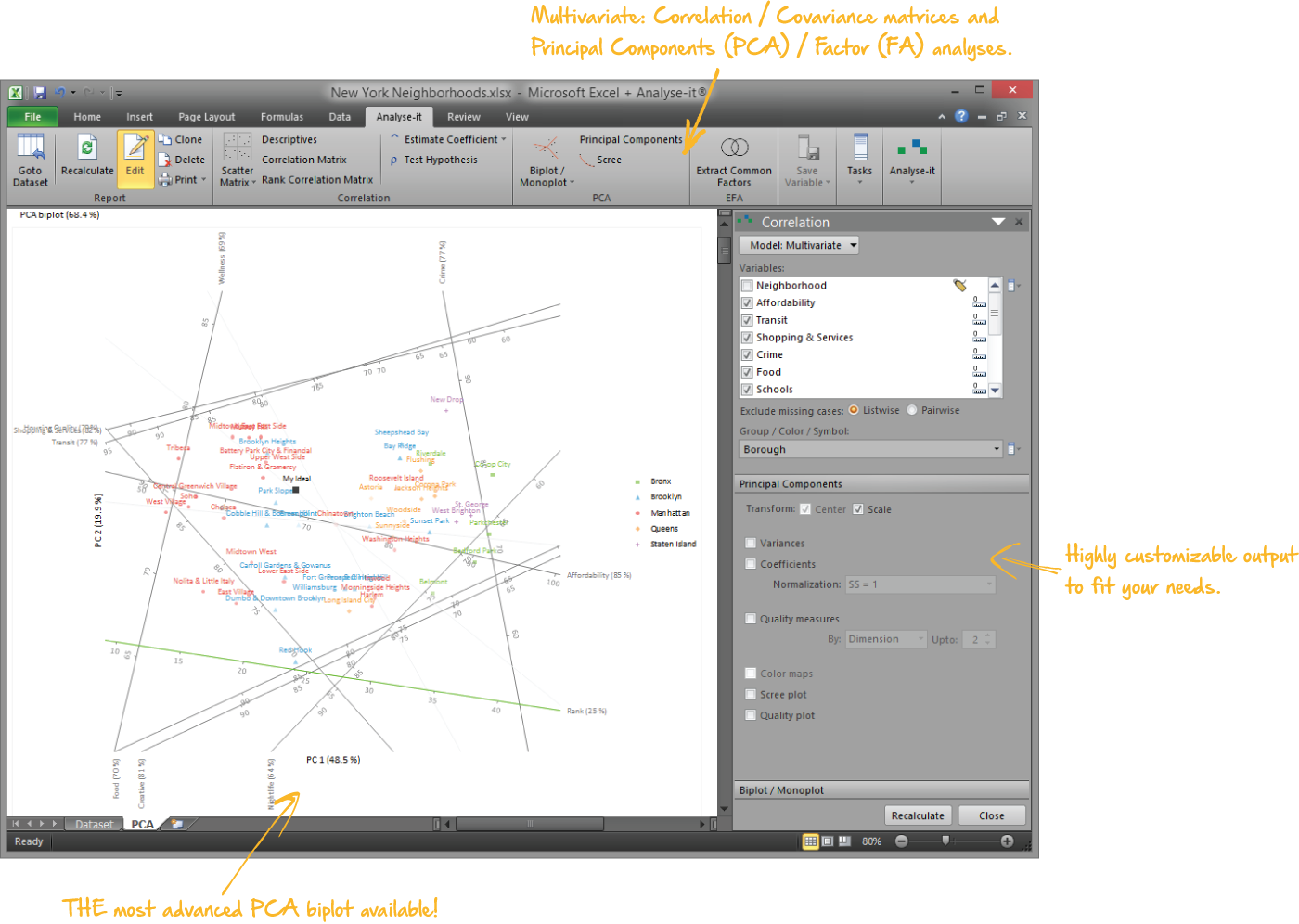
Reduce complexity with PCA and factor analysis
Make multivariate data interpretable with visualisations most packages don’t offer:
- Gabriel and Gower & Hand biplots with interactive reflection, rotation, and scaling
- Correlation monoplots and colour-mapped coefficient matrices
- Common factor analysis with 12 orthogonal and oblique rotation methods
- Cronbach’s alpha with deleted-alpha for scale reliability
PCA and factor analysis details →
Analyse categorical data properly
When the data is categorical — pass/fail, treated/untreated, exposed/unexposed — you need tests designed for proportions, not means:
- Pearson χ² and likelihood ratio G² tests for independence in any r×c table
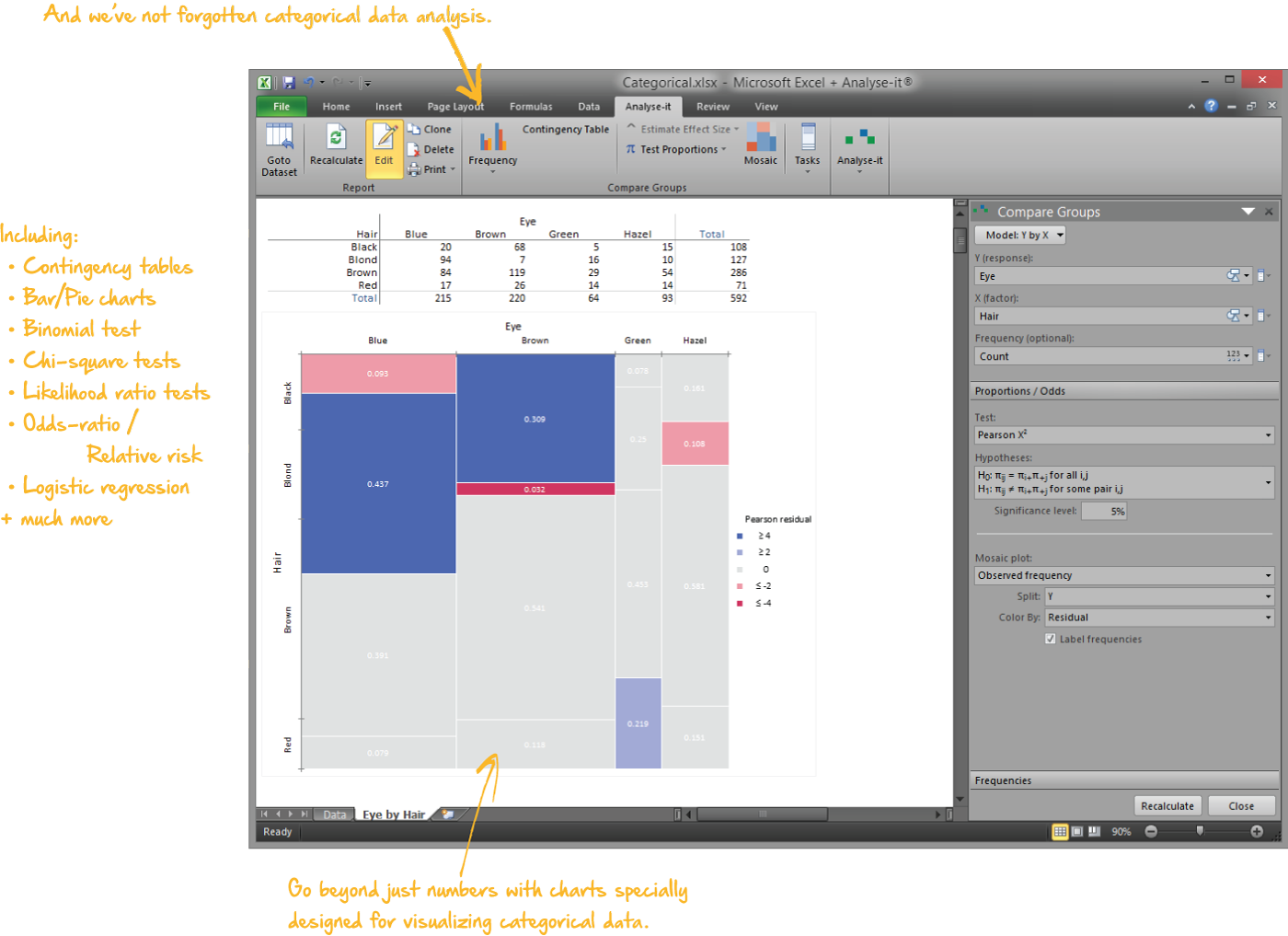
- Mosaic plots coloured by Pearson residual to show where the association is strongest
- Fisher exact test, McNemar test for related tables
- Proportion difference, risk ratio, and odds ratio with Miettinen-Nurminen, Newcombe, Tango, Clopper-Pearson, and Wilson CIs
Contingency table details →
I use Excel to analyze, validate, and sumarize volumes of data every day. Since Analyse-It is always right there on my Excel ribbon, I go to it regularly. The correlation matrix is a great data validation tool because so much of my data is inter-related. The tests under Compare Groups and Compare Pairs let me evaluate significance before publishing data. I am not a professional statistician, but Analyse-It gives me all of the tools in an easy to use package that lets me focus on understanding my data.
Shawn W.
Analyst
The foundation for every edition
The Standard edition is included in the Medical, Quality Control & Improvement, Method Validation, and Ultimate editions. If you need survival analysis, ROC curves, control charts, or CLSI method validation protocols, the general statistics toolkit comes with them — so you can investigate, explore, and dig deeper when the specialist analysis raises questions.
Validated, reliable, trusted for over 30 years
NIST-validated calculations
Every statistic tested against NIST Standard Reference Datasets, published datasets and thousands of internal test-cases. No reliance on Excel's shaky built-in functions. See how we
develop and validate Analyse-it →
Data stays on your PC
No cloud processing, no uploads, no third-party access. Your data never leaves your computer — essential when working with sensitive, confidential, or patient-identifiable data.
Standard Excel workbooks
Analyses are ordinary Excel workbooks that you can share with colleagues, archive for audit, and open on any machine with Excel — no Analyse-it licence required.
No formulas to break
Results contain no formulas, so they can't be accidentally edited or corrupted. The results you reported will be exactly what you find when you reopen the workbook.
Example analyses
Download example datasets, open them in the trial, and see exactly what the output looks like.
 Distribution
Newcomb’s speed of light, 64 observations.
Descriptive statistics, histogram, box plot, Q-Q plot, Shapiro-Wilk, one-sample t-test.
 Compare groups
Y by brand, 7 groups.
One-way ANOVA, Tukey-Kramer all-pairs, Mean-Mean scatter plot.
 Correlation
NYC liveability, 50 observations × 5 variables.
Colour-mapped matrix, scatter plot matrix, Pearson r with CIs.
 Multiple regression
Pulse rates, 109 observations, 8 predictors.
VIF, leverage plots, residual diagnostics, outlier/influence plot.
 Two-way ANOVA
Primer adhesion, 3 × 2 design.
Type III tests, LS means, main effect plots, Tukey-Kramer.
 Logistic regression
ICU patient survival, 17 predictors.
Odds ratios, Wald CIs, G² likelihood ratio tests.
 Contingency table
Hair–eye colour, 4×4 table.
χ² test, mosaic plot coloured by Pearson residual.
 PCA
PCA
NYC neighbourhoods × 12 variables.
Eigenvalues, correlation monoplot, Gower-Hand biplot by borough.
Technical details
Distribution
Continuous
- Sum, Mean, Variance, SD, CV%, Skewness, Kurtosis
- Geometric Mean, Harmonic Mean new in v4.50
- Median, Minimum, Maximum, Range, IQR
- Quantiles
- Mode
- Transform variable new in v5.50
- Histogram with optional normal overlay
- Frequency polygon
- Dot plot — jittered, aligned, spread; vary symbol/colour
- Skeletal box plot, Tukey outlier box plot, Quantile box plot
- Mean error bar plot, Mean confidence diamond plot
- CDF plot with optional Kolmogorov-Smirnov confidence band
- Normal Q-Q plot with optional Lilliefors confidence band
- Shapiro-Wilk, Anderson-Darling, Kolmogorov-Smirnov normality tests
- Z test, one-sample t-test, Wilcoxon, Sign test for location
- χ² test for variance
- Mean with t-based or Z-based CI
- Median with Thompson-Savur CI
- Hodges-Lehmann pseudo-median with Tukey CI
- Variance with χ²-based CI
Discrete
- Frequency table (frequency, cumulative, relative, cumulative relative)
- Frequency bar plot with optional cumulative line
- Frequency pie (whole-to-part) plot
- Binomial exact test for proportions
- Score Z test for binomial proportions
- Pearson χ² and G² test for multinomial proportions
- Proportion with Clopper-Pearson exact or Wilson score CI
Compare groups
- Descriptive statistics by group
- Side-by-side dot plots, mean plots, box plots
- Z test, Student’s t, Welch’s t, Wilcoxon-Mann-Whitney
- 1-way ANOVA, Welch’s ANOVA, Kruskal-Wallis
- Mean difference with t-based, Welch-Satterthwaite, or Z-based CI
- Cohen’s d and Hedges’ g with non-central t CI
- Hodges-Lehmann location shift with Moses CI
- Multiple comparisons: Student’s t, Tukey-Kramer, Dunnett, Hsu, Scheffé, Steel, DSCF, Wilcoxon
- Mean-Mean scatter plot
- F-test, Bartlett, Levene, Brown-Forsythe for homogeneity
Compare pairs
- Paired t-test, Wilcoxon signed ranks, Sign test
- Within-subjects ANOVA, Friedman test
- Difference plot with identity line and histogram
- Mean difference with t-based or Z-based CI
- Cohen’s d and Hedges’ g with non-central t CI
- Median difference with Thompson-Savur CI
- Hodges-Lehmann location shift with Tukey CI
Contingency tables
- Contingency table, grouped and stacked frequency plots
- Pearson χ² and G² tests for independence
- Mosaic plot coloured by category or residual
2×2 related tables
- McNemar-Mosteller exact test
- Score Z test for difference between proportions
- Proportion difference with Newcombe score or Tango score CI
- Odds ratio with binomial exact or Wilson score CI
2×2 independent tables
- Fisher exact test for independence
- Score Z test for difference between proportions
- Proportion difference with Miettinen-Nurminen, Newcombe, or Tango score CI
- Proportion ratio with Miettinen-Nurminen or Newcombe CI
- Odds ratio with hypergeometric exact or Miettinen-Nurminen score CI
Fit model — Regression / ANOVA / ANCOVA
Linear fits
- Simple linear regression
- Polynomial regression (2nd to 6th order)
- Logarithmic regression
- Exponential regression
- Power regression
- Probit regression new in v5.50
- Multiple linear regression
- ANOVA new in v4.80
- ANCOVA new in v4.80
- Advanced models with simple, crossed, polynomial, and factorial terms
- Transform X and Y variable new in v5.50
Other fits
- Binary logistic regression
- Model equation
- Summary of fit — R², AIC, BIC
- Parameter estimates — beta, confidence intervals, VIF, standardized beta
- Scatter plot with fit line and optional confidence bands
- F-test effect of model
- Predicted against actual plot
- F-test effect of each term in model
- Leverage plot for effect of each term
- Residual plot — raw, standardized
- Sequence and Lag-1 plots
- Outlier and Influence plot
- Cook’s D influence
- Predict Y for X
- Effect means for categorical variables new in v4.80
- Main effect and interaction plots new in v4.80
- Multiple comparisons of effect means: Student’s t, Tukey-Kramer, Dunnett, Hsu, Scheffé new in v4.80
- F-test for lack of fit for simple regression models
- Save model variables: Fitted Y, Residuals, Standardized Residuals, Studentized Residuals, Leverage, Cook’s Influence
Multivariate
- Correlation matrix with colour map on coefficients
- Covariance matrix
- Scatter plot
- Scatter plot matrix
- Vary points by colour based on a factor
Correlation / Association
- Pearson r with Fisher’s Z CI
- Pearson test for linear association
- Spearman rs with Fisher’s Z CI
- Kendall τ with Samara-Randles CI
- Kendall test for monotonic association
Item reliability new in v4.80
- Cronbach’s alpha (standardized and unstandardized)
- Deleted Cronbach’s alpha for each item
PCA new in v3.80
- Eigenvalues / Eigenvectors
- Coefficient matrix with colour map
- Classic Gabriel biplot (variables as vectors, observations as points)
- Gower-Hand biplot (variables and observations as points)
- Correlation monoplot
- Scree plot
- Reflect, rotate, and scale biplot
- Predict new observations / variables
Common factor analysis new in v3.90
- Maximum likelihood factor extraction
- Factor pattern / structure matrices with colour map
- 12 factor orthogonal/oblique rotations including Varimax, Oblimin
System requirements
- Microsoft Excel 2013, 2016, 2019, 2021, 2024 and Microsoft 365 for Microsoft Windows (32- and 64-bit)
- Microsoft Windows 8, 10, 11, Server 2016, 2019, 2022
- 2 GB RAM minimum recommended
- 80 MB disk space